Setting up and Tuning Vision
Overview
Vision before you can even get your hands dirty requires some setting up and adjusting for the best processing that is crucial for in game performance. Vision can be applied through different camera processing methods such as PhotonVision and Limelight. The PhotonVision and Limelight docs can be found through these two links. These docs contain what you need to setup the different cameras and ability to have successful vision processing and tracking.
Requirements
Things you should have with you at hand when doing any calibration activity:
- <limelight.local> (website to connect to Limelight pipeline)
- photonvision.local:5800 (website to connect to Photonvision pipeline)
- Both of the documents on hand to help with setup
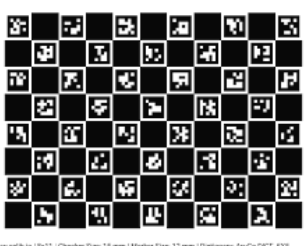
- Charuco Calibration Board
General Process
Obviously, the documents provide the knowledge you need for both code and physical setup to your computer, but after you get whatever camera setup, you need be able to calibrate and tune the camera vision under different conditions. This is due to the fact that when we go to any competition, we have to calibrate the cameras to the field itself as lighting varies in different rooms. Here are the steps you must follow:
- Firstly, get a Charuco Calibration Board, as this is what you will position in front of your camera and this will allow for the camera to be calibrated to accurately process the game objects and field. The Charuco board is found in the shop, and we make sure that the picture of the Charuco image itself is plastered on the cardboard piece as flat as possible to avoid variations.
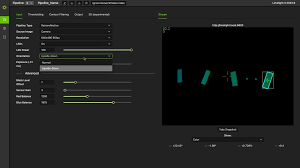
- Next, access the pipeline of whatever you are using, this will provide different sliders to adjust lighting, color contrast (Red and Blue Balance Specifically), and sensor grain. There is no formula to adjust these to properly calibrate the camera, you have to play around and make sure the camera senses every part of the board fully as it will highlight the parts it detects.
- Finally, once you play around and get the board fully highlighted, then the camera is ready for tracking and detecting objects on the field.